You know when you need to wake up
Find a bedtime.
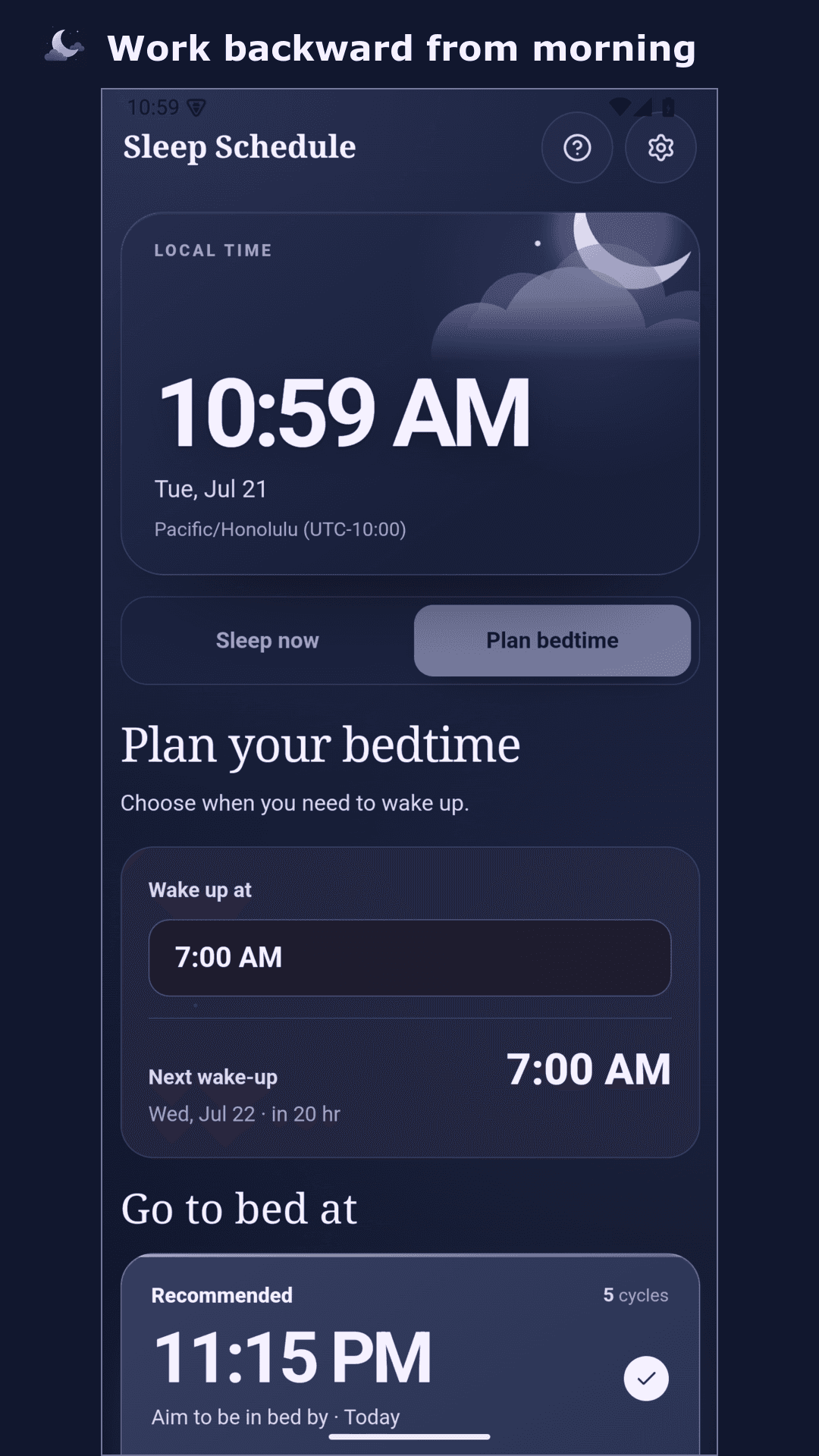
Enter your wake-up time. See bedtimes for 3, 4, 5, or 7 estimated cycles. Each choice times your alarm near the end of a cycle for an easier wake-up.
Wake7:00 AM
works back toBed11:15 PM

A better-timed alarm
Make waking up easier. Sleep Schedule plans your alarm around estimated cycle endings, so you can wake with less grogginess.
Choose where to start
Enter the time you know. Sleep Schedule shows the times that go with it.
Enter your wake-up time. See bedtimes for 3, 4, 5, or 7 estimated cycles. Each choice times your alarm near the end of a cycle for an easier wake-up.
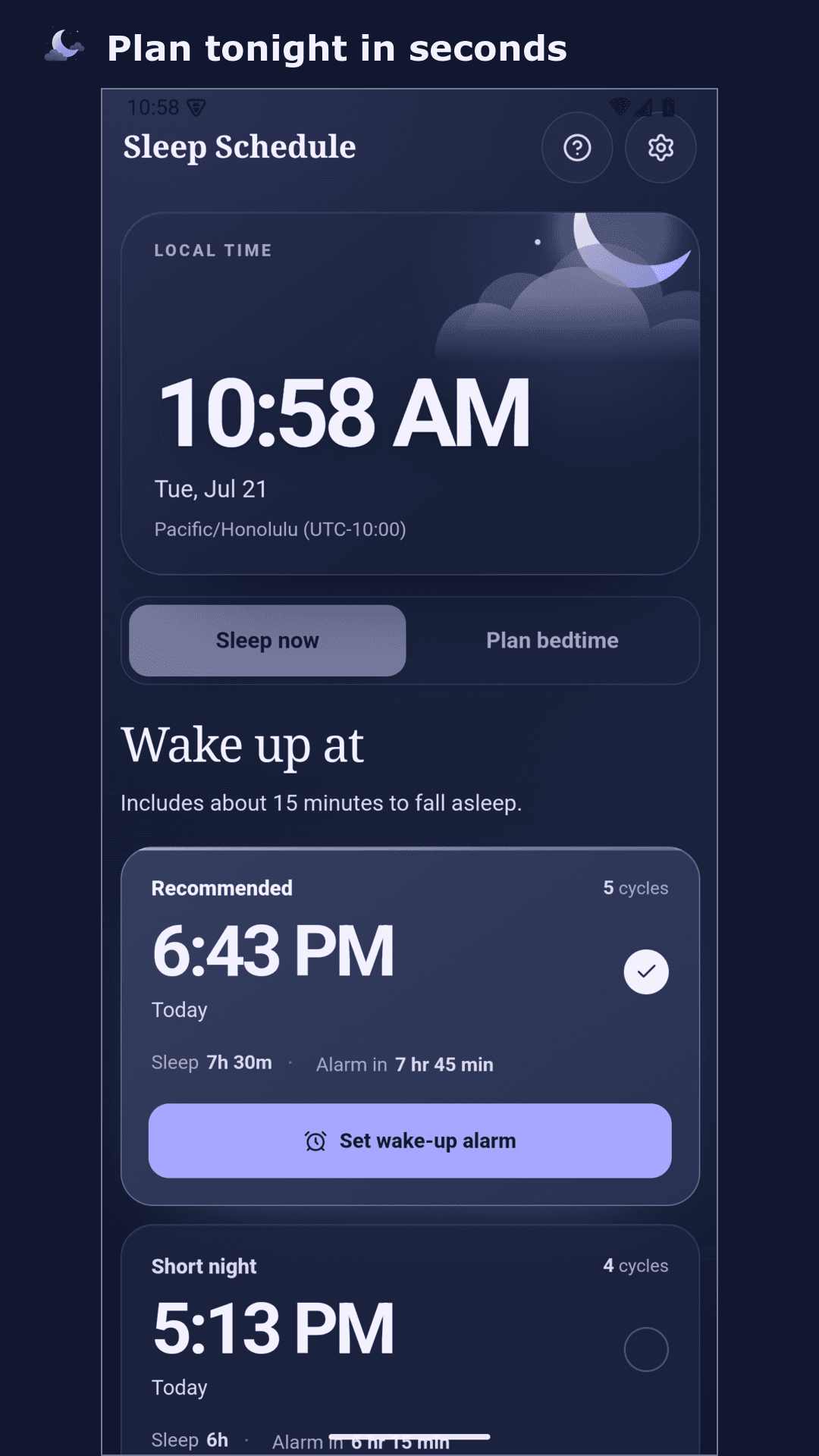
Use the current time to see alarms near the end of 3, 4, 5, or 7 estimated cycles. Pick the sleep time that works for you.
From plan to alarm
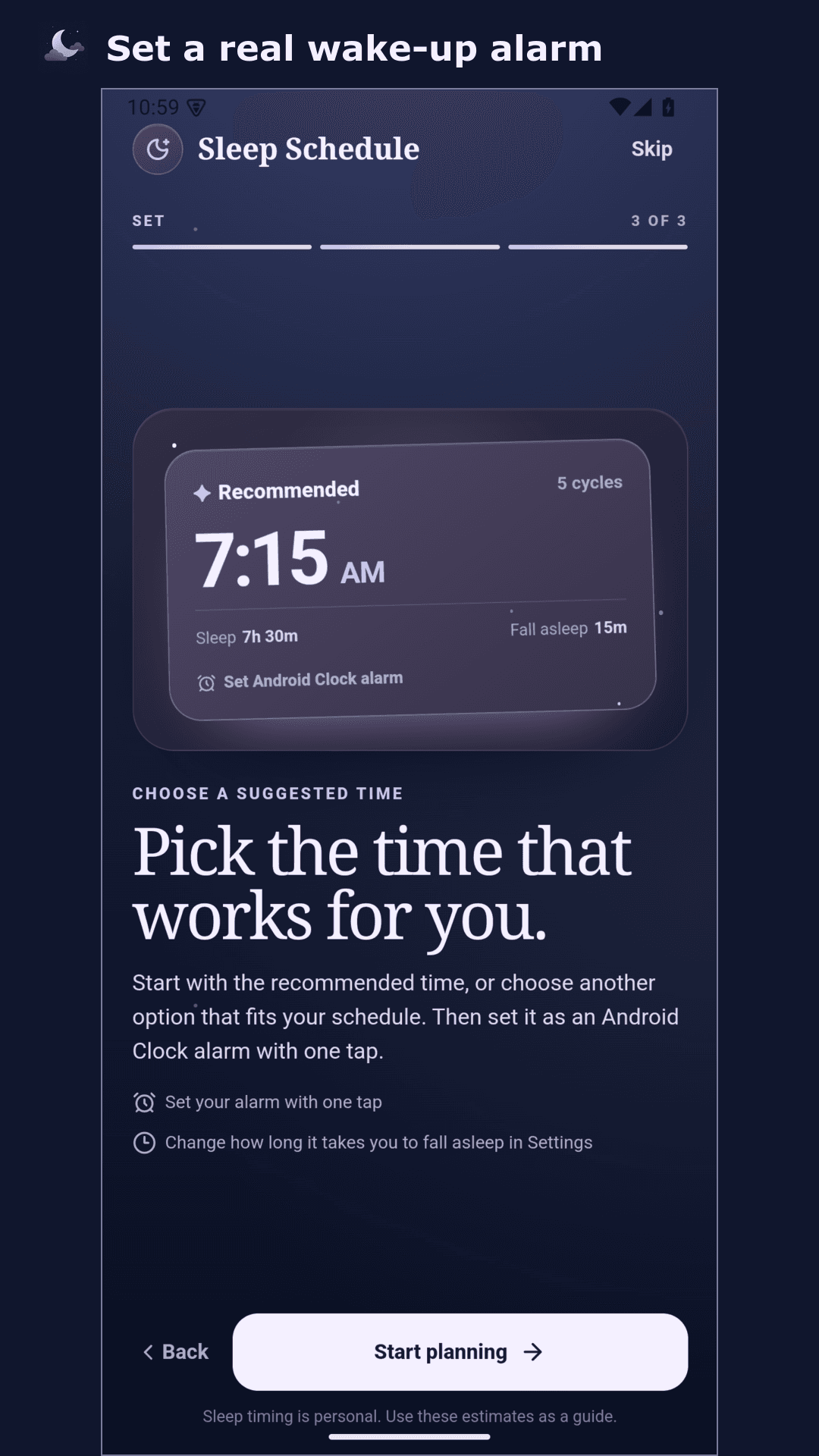
Choose a wake-up time, then tap Set Android Clock alarm. Sleep Schedule adds it to your Clock app automatically.
Inside Sleep Schedule
Planning, not tracking
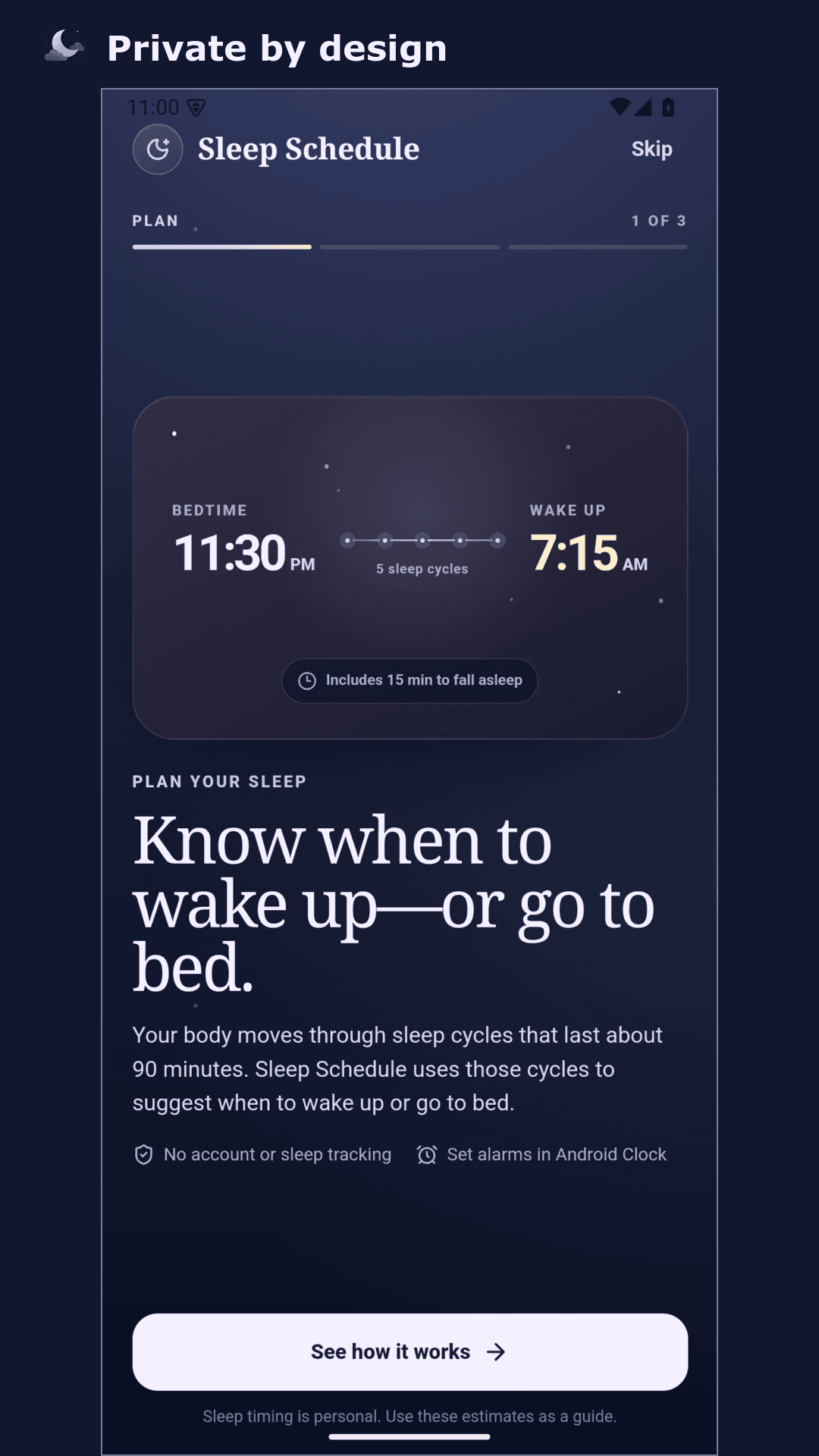
It uses 90-minute cycle estimates and your fall-asleep time to suggest bedtimes and alarms. It does not measure sleep or detect sleep stages.
For tonight
Paid app. No ads. No account. Available on Google Play.
Or try the web demo